Foundations
Sources
Upload clinical guidelines, assessment manuals, or policy documents for the AI to reference during generation.
Sources are reference documents the AI can draw from during generation — clinical guidelines, assessment manuals, organisational policies, or any document you want the AI to reference.
What you can add
- Upload a .docx or .pdf file, or add a URL — text is extracted automatically.
- Add a title and description so you can find it easily later.
- Edit the extracted content to trim irrelevant sections.
- Sources can be Personal (only you) or Organisation (shared with your team, admin only).
Steps
1
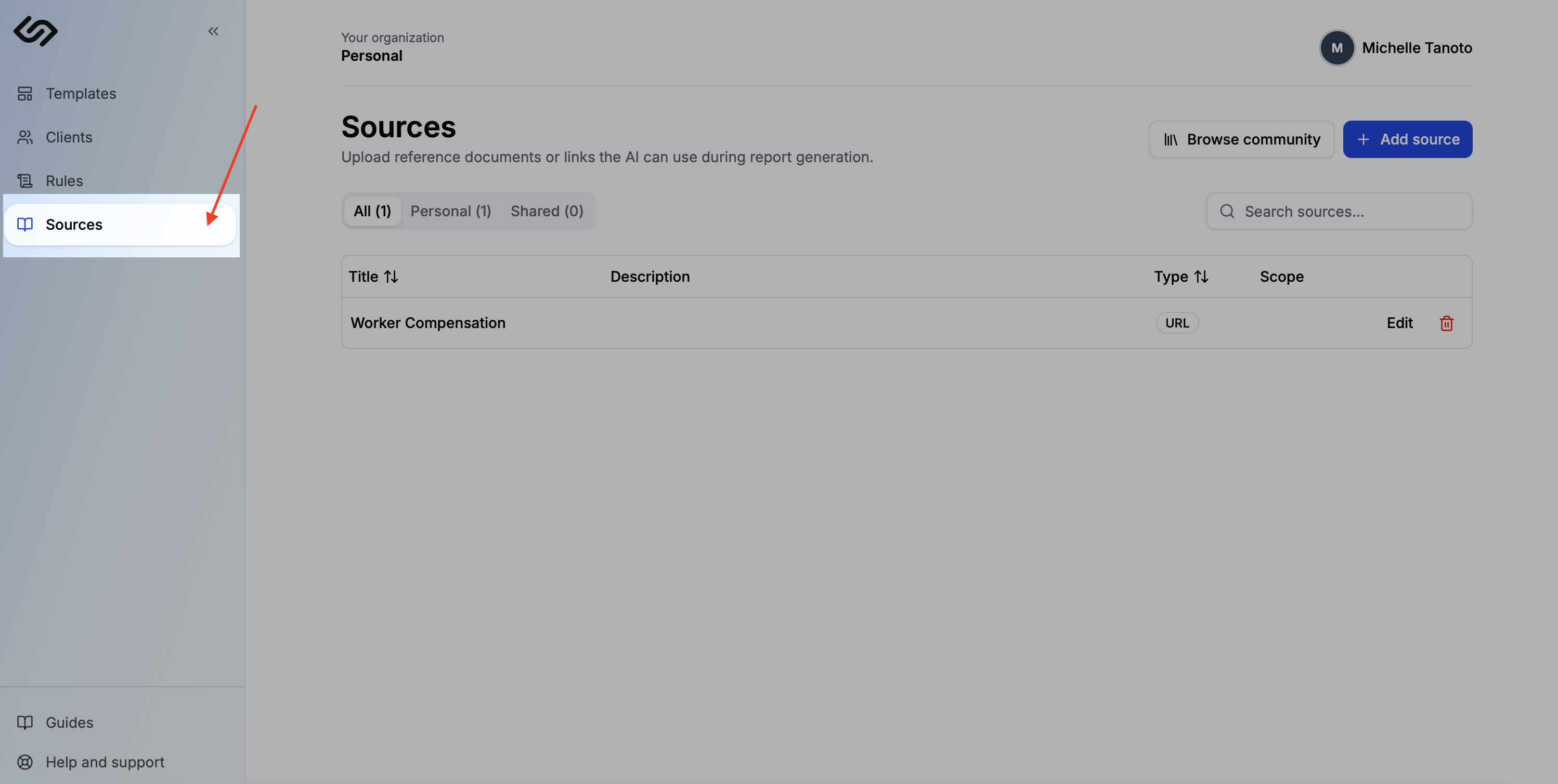
Open Sources
Click Sources in the sidebar.
2
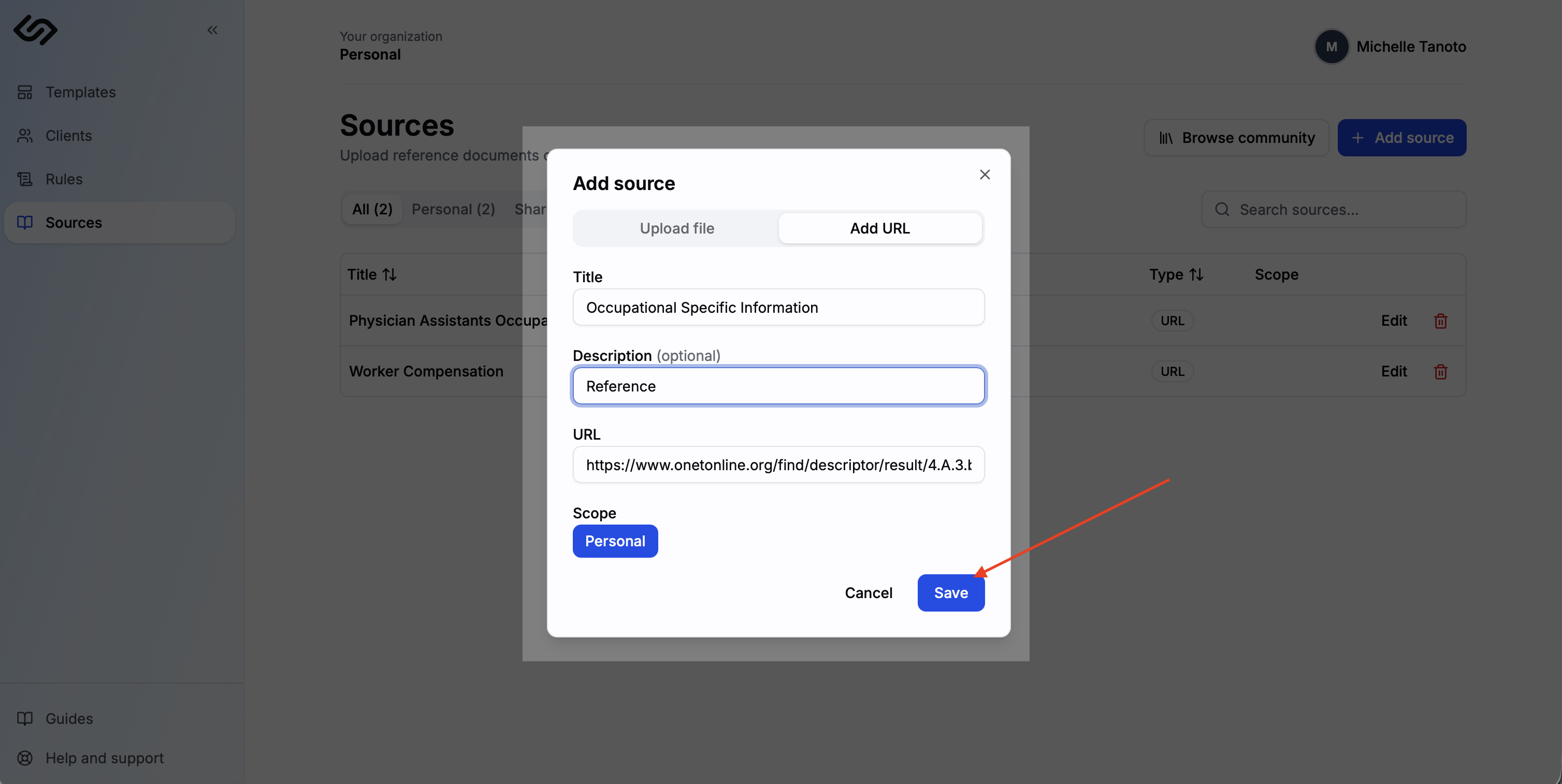
Upload a file or add a URL
Click Add source. Upload a .docx or .pdf file, or paste a URL — the text is extracted automatically. Add a title and description, then save.
3
Use it during generation
In the context panel on the generate page, check any sources relevant to the report. Sources are unchecked by default — you choose which ones apply each time.
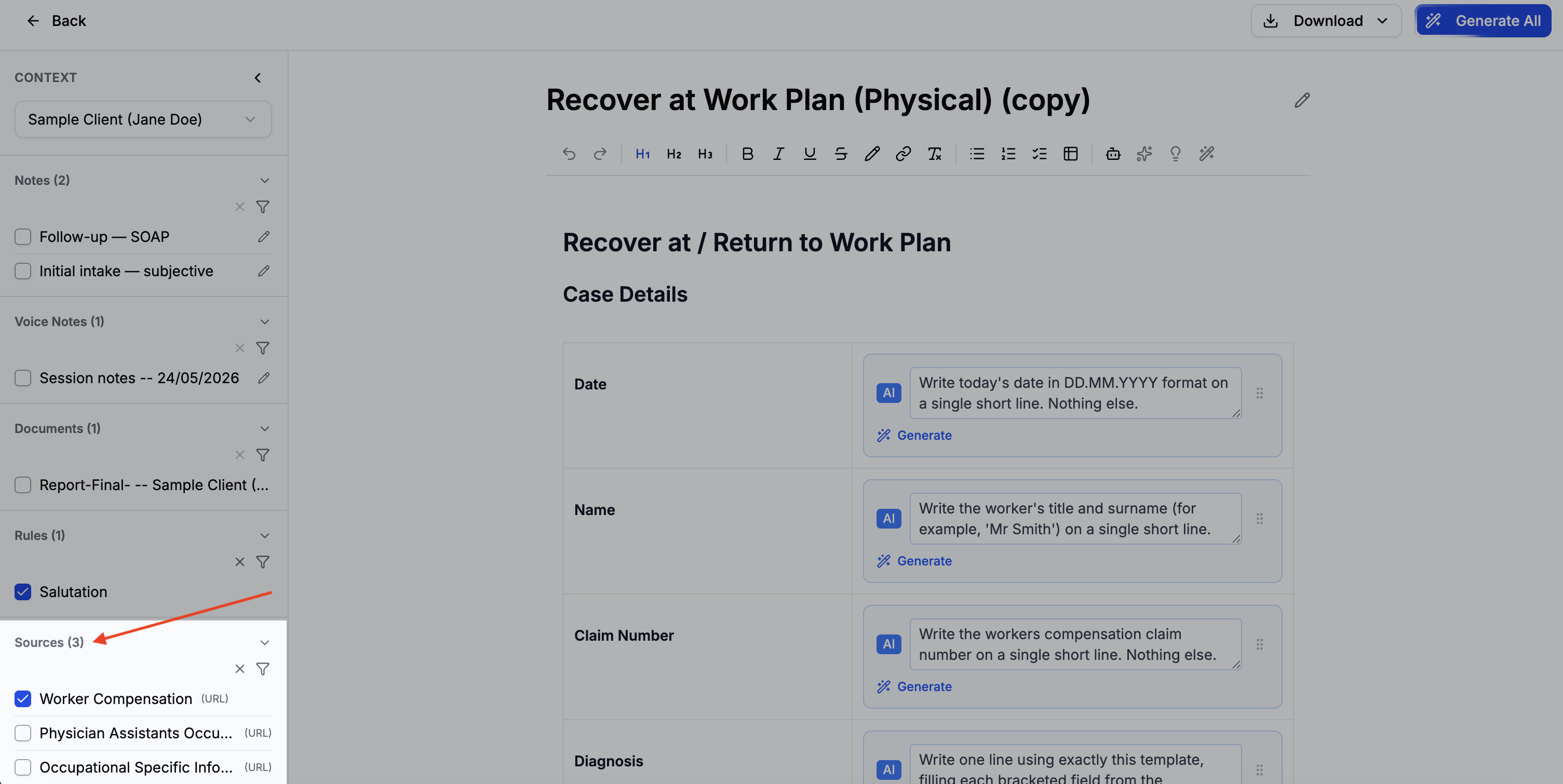
Tip: Sources are unchecked by default each report — select only the ones relevant to what you're generating.