Settings
Document Defaults
Control how your exported .docx files look — fonts, heading sizes, header and footer text, and filename format.
Found under Settings → Document. These settings apply to .docx exports only. The in-app editor uses its own preview styling regardless of what you configure here.
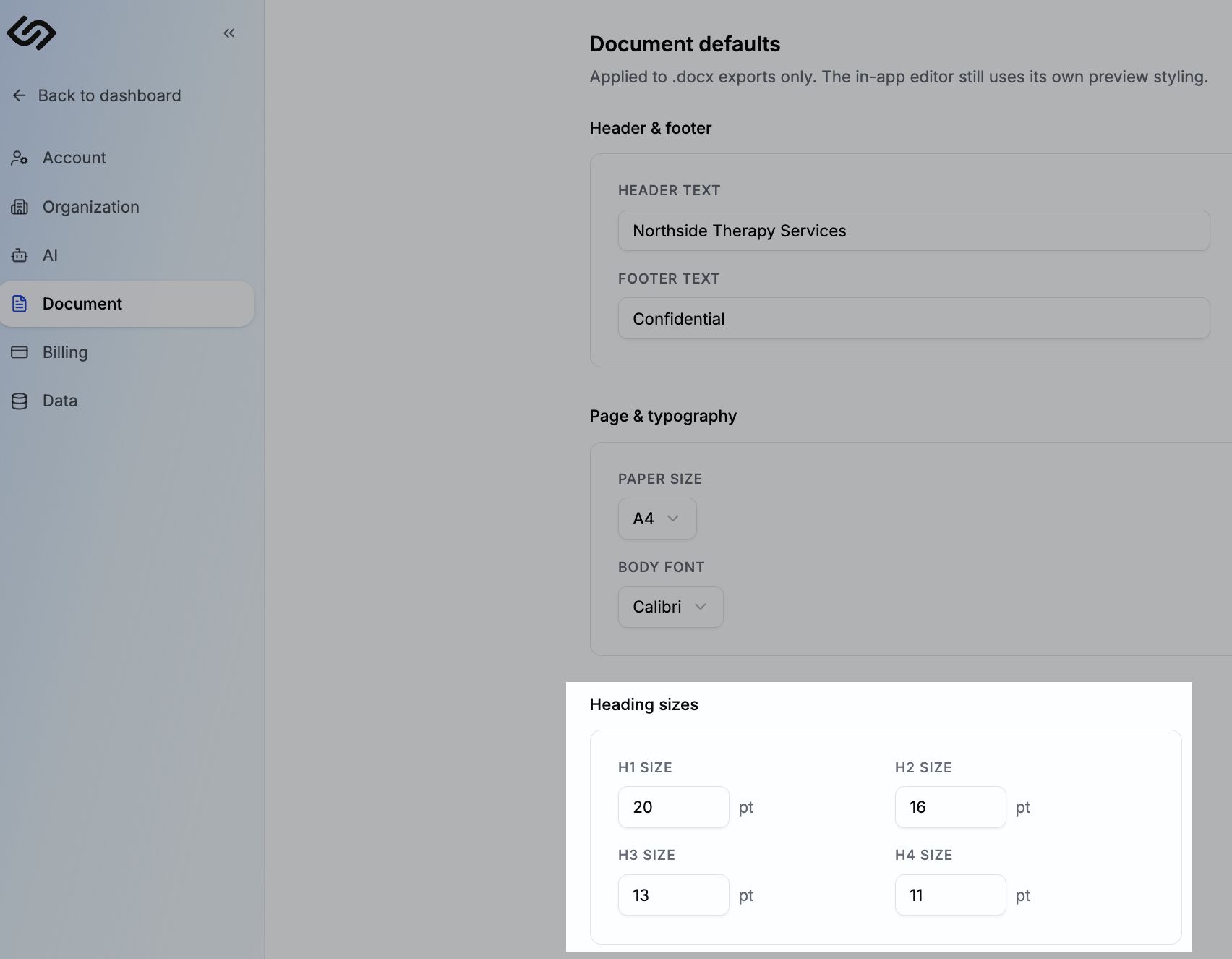
Header & footer
Add text that appears at the top and bottom of every exported report — typically your practice name, contact details, or a confidentiality notice.
- Header text — e.g. "Northside Therapy Services — Initial Assessment"
- Footer text — e.g. "Confidential — for funder use only"
If your organisation has branding configured, that takes precedence and these fields act as a fallback.
Page & typography
- Paper size — A4 by default. Change to Letter if your clinic uses US formatting.
- Body font — sets the font for body text in exported documents. Calibri is the default; choose whatever matches your clinic's existing report template.
Heading sizes
Set the point size for H1, H2, H3, and H4 headings in exported documents. Match these to your existing report format so the exported .docx is ready to use without manual reformatting.
Notes
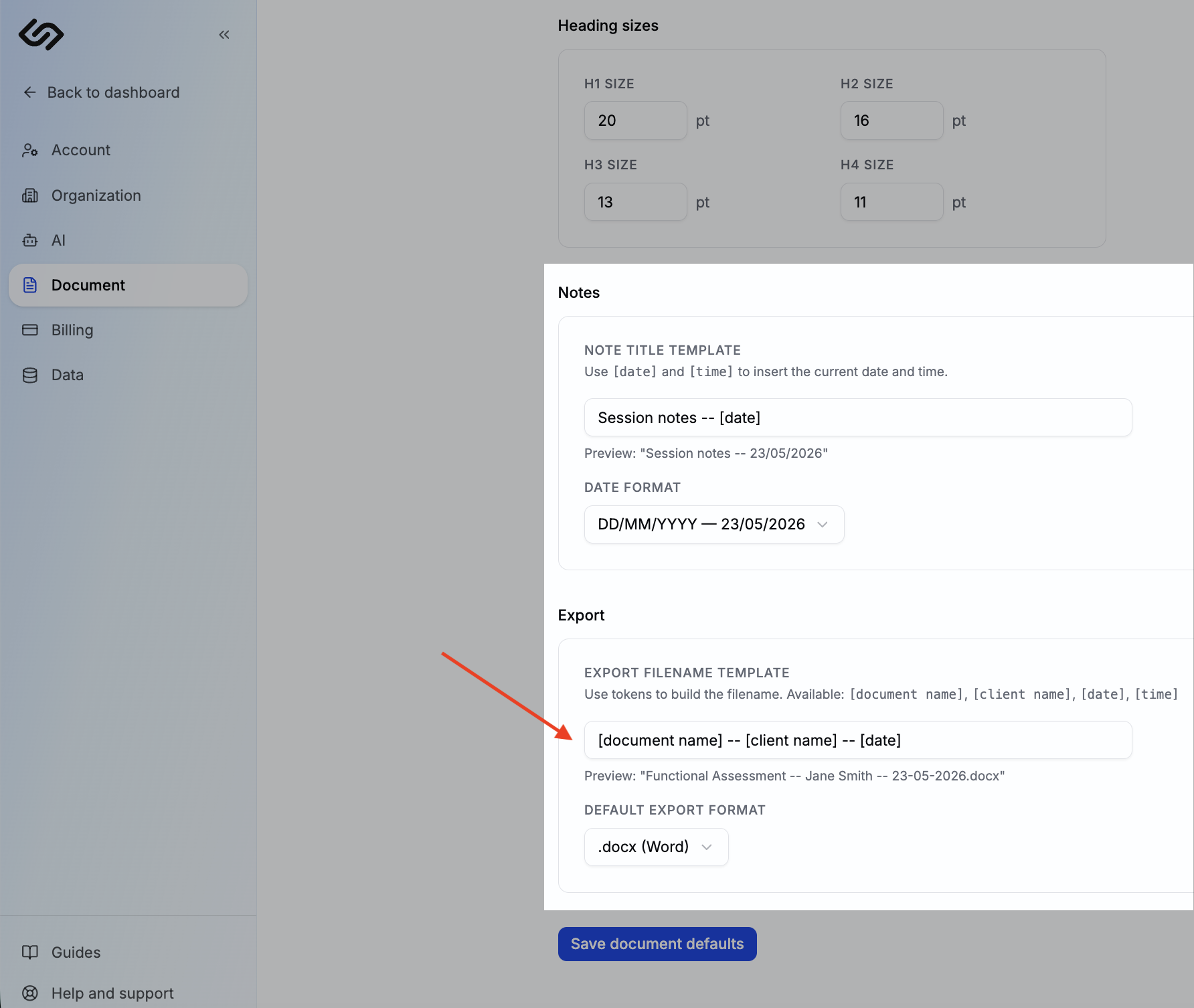
- Note title template — controls how new notes are auto-named. Use
[date]and[time]as tokens. Example:Session notes — [date] - Date format — choose how dates appear in note titles and export filenames (e.g. DD/MM/YYYY or YYYY-MM-DD).
Export filename
Customise how exported files are named using tokens:
[document name]— the template name[client name]— the client's name[date]— the export date in your chosen format[time]— the export time
You can also set your default export format — .docx for Word or .pdf if your clinic submits PDF reports.