Foundations
Rules
Standing instructions the AI follows every time — keep your tone, terminology, and formatting consistent across every report.
Rules are applied automatically during generation. You write them once; the AI follows them on every report.
Examples of useful rules
- "Always use Ms/Mr with client surname, never first name alone"
- "Use conservative language when describing functional limitations"
- "Include NDIS plan number in the header of every report"
- "Write in Australian English spelling"
- "Always recommend a review period of 6 months unless otherwise stated"
Organisation vs Personal
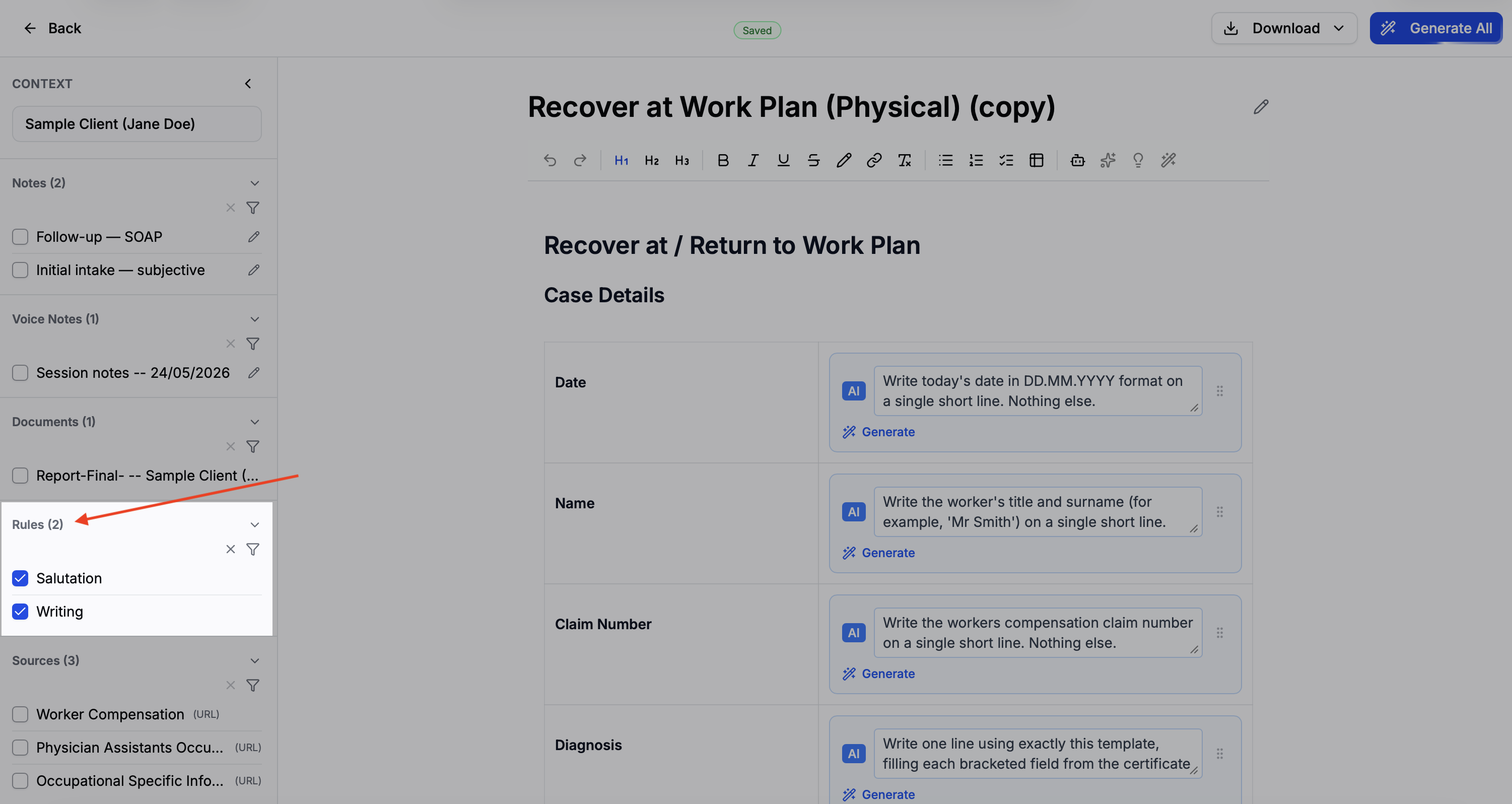
Organisation rules are always applied to every report and cannot be toggled off. Personal rules are on by default but can be toggled off for individual reports in the context panel.
Steps
1
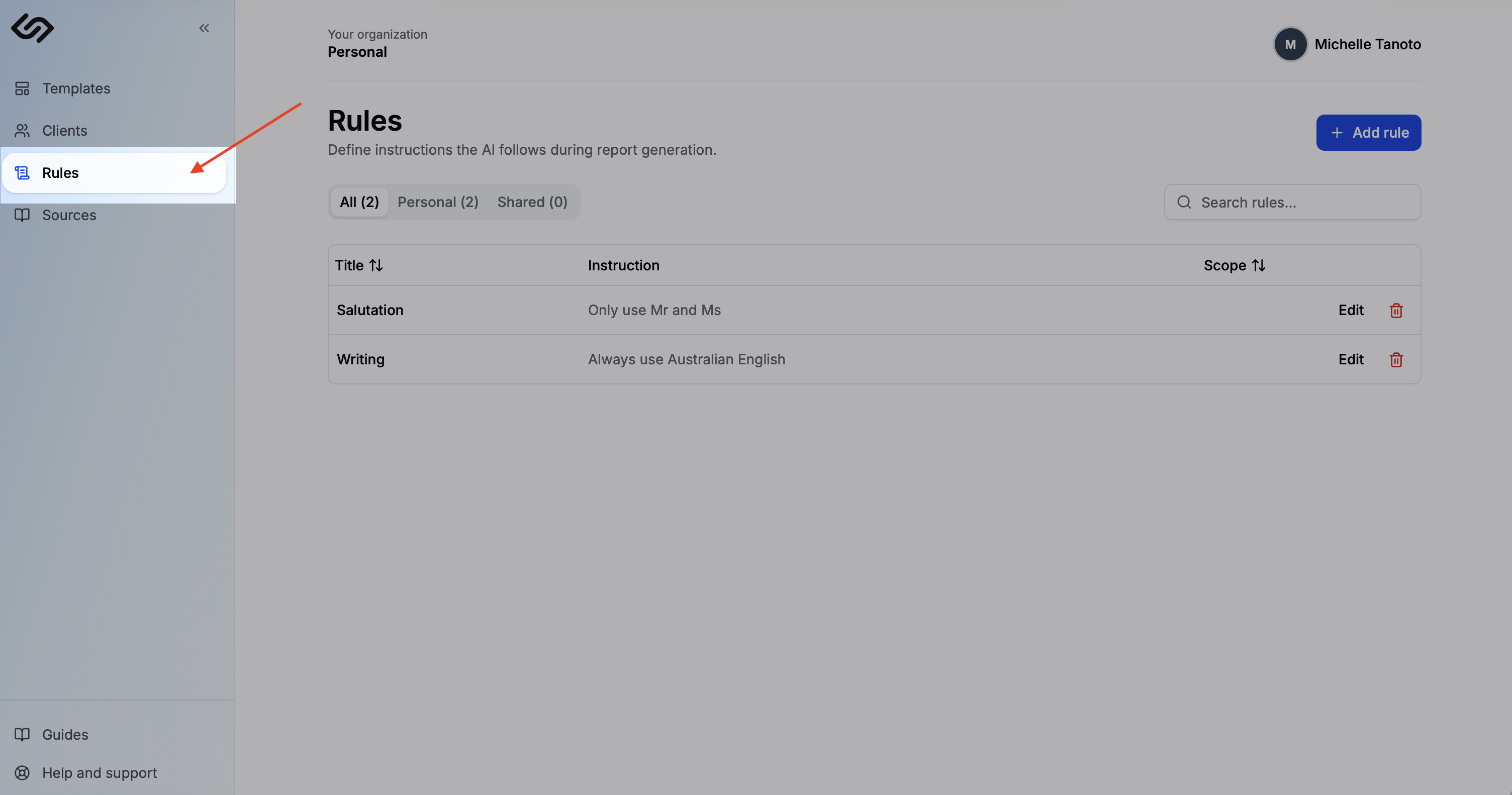
Open Rules
Click Rules in the sidebar.
2
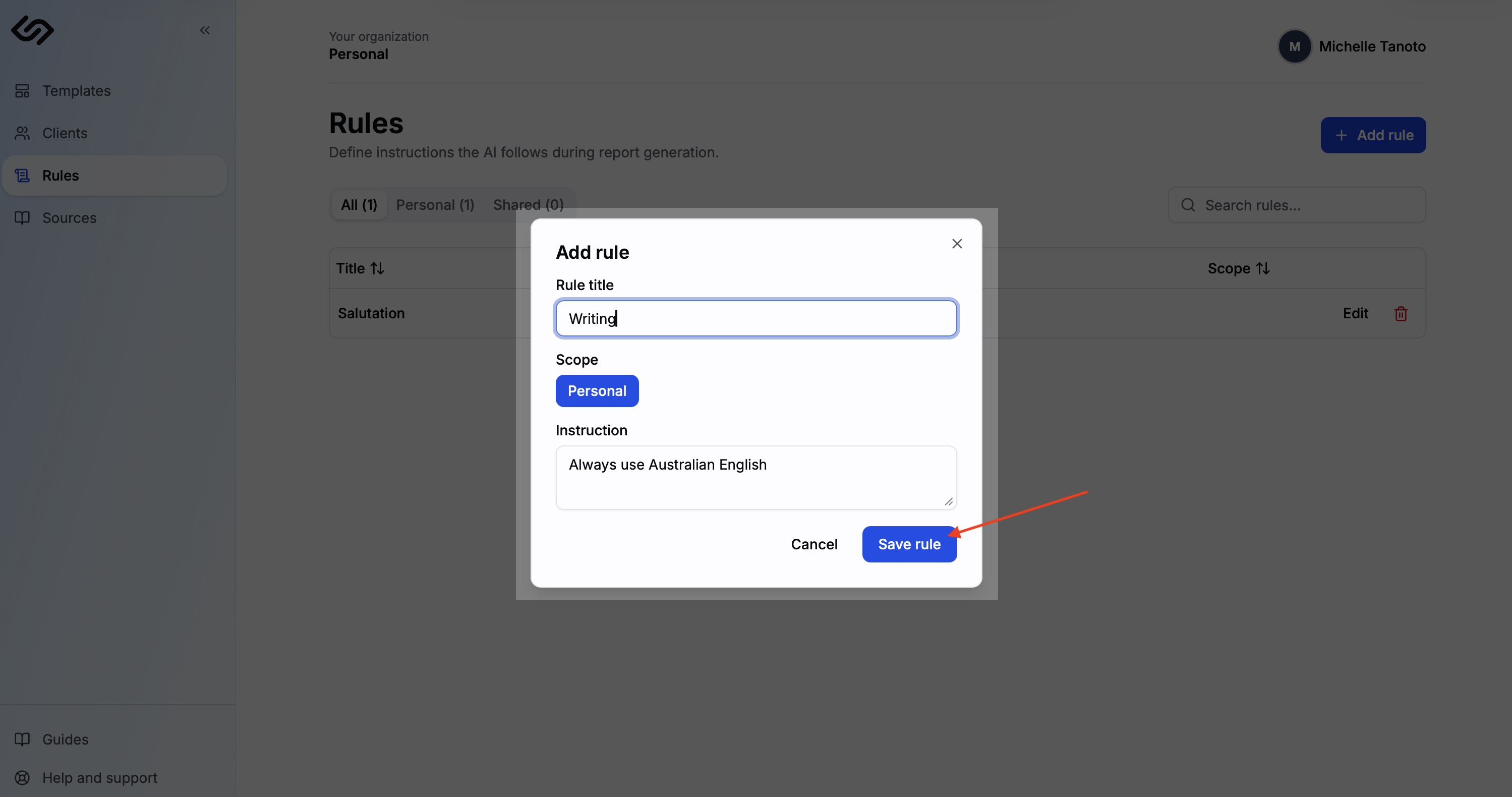
Add a rule
Click Add rule. Type your instruction in plain language — be specific about the behaviour you want.
3
Save and apply
Click Save. The rule is applied automatically on every report from that point on — no need to re-enter it.
Tip: Start with 2–3 rules that reflect your most common feedback on AI drafts. Add more as you notice patterns you want to correct.